
Give every participant the software they need.
Each participant opens a GPU-accelerated Linux or Windows workstation in the browser, with your applications and data already installed. Nobody installs anything on their own computer, and nobody waits for hardware.
How browser access connects to the workstation
Any standard browser. Nothing is installed on the participant's computer.
One shared session, with an instructor view of every workstation.
A Linux or Windows workstation built from the prepared image.
NVIDIA accelerated compute behind each workstation.
Each workstation starts in the data center closest to the participant, in a global network.
From a prepared image to a working session
-
Before the event
Prepare the workstation
Choose a Linux or Windows workstation image. You install and license your applications; our team helps open ports and configure license servers.
Outcome
One image, copied to every seat
-
Joining
Open it in the browser
Participants log in from any standard browser. There is no client to install on their computers.
Outcome
Same setup on every laptop
-
Starting
Compute is allocated
Each workstation starts on NVIDIA accelerated compute at the nearest data center.
Outcome
The most responsive experience for each participant
-
During
Work in the session
Applications and data are already in place. The instructor sees every workstation and can step in on any of them.
Outcome
No time wasted, no configuration, no IT needed
-
Afterwards
Come back to it
Keep each workstation between sessions, so people return to the same machine and files, or start fresh each time.
Outcome
You decide persistence and access
What the organizer controls
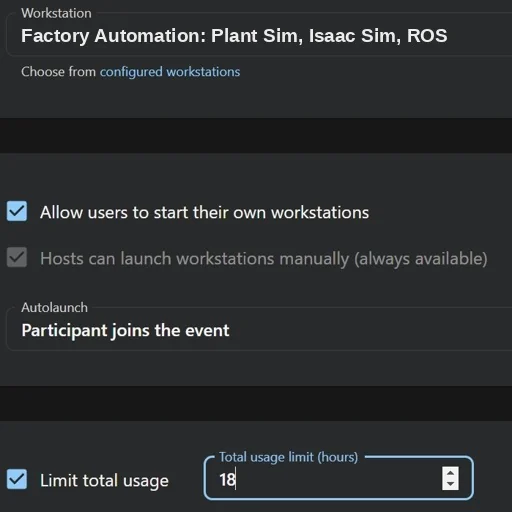
Software, licensing, and who runs what
- UME.Studio
- Runs the compute.In the hosted product we operate the GPU infrastructure, the workstations, and the streaming to the browser.
- Your team
- Owns the software.You install and license your applications in the workstation image and choose who gets access.
- Together
- Licensing and networking.Our team helps open ports and configure license servers for your applications.
- On your infrastructure
- Your team runs the compute.In a sovereign deployment the hardware and its operation are yours.
Started near the people using it
In the hosted product, each workstation starts at the nearest available data center in a global network. A team spread across several countries works from one room, and each person gets a workstation close to them.
Start the conversation.
Tell us which applications you need, how many people will use them, and where they will join from.