A virtual lab for every course.
A GPU workstation for every student, opened in a browser, inside a platform built for teaching. The university buys it for a term, for the courses it chooses.
What sits behind a course link
The platform students open in their browser. The lab, the workstation, and the help all sit inside it.
One lab per course. Instructors and TAs see every student's work as it happens.
A Windows or Linux workstation with the course software already set up.
Each course gets the GPU performance its software and assignments need.
Accelerated compute for scheduled classes and for project work between them.
Computer labs can't keep up.
-
Hardware cost
TodayAI features in creative and engineering software need newer, expensive GPUs. A lab refreshed a few years ago is already behind the software it teaches.
With UME.StudioThe workstation runs in the data center, so the GPU behind a course changes with the assignment, without replacing lab machines.
-
Seat availability
TodayMore courses now rely on GPU-powered software, which creates more demand for the same lab seats, especially near deadlines.
With UME.StudioEvery enrolled student has a workstation during class and opens it again for project work, from their own laptop.
-
GPU scarcity
TodayGPUs are in short supply, expensive to secure, and complex to manage. A department that goes it alone takes on all three.
With UME.StudioStudents get the GPU capacity they need, when they need it. Faculty get a course link, and campus IT has one service to review.
AI is taking up the world's GPUs, and pricing out the students who need them to learn.
Demand from AI keeps driving up the cost of accelerated computing. The students who will create the next technologies are the ones losing access to it. UME.Studio gives them the GPU capacity their coursework needs, when they need it.
A full platform in every course lab.
-
A workstation for every student
Opened from the LMS and used in the student's own browser, on campus or at home.
-
Course software, ready to use
Each course's applications are installed and configured before the first class.
-
GPU right-sized to the assignment
Performance is matched to the work, so a course does not pay for the highest specification every time.
-
Teach from inside the lab
Instructors and TAs demonstrate a workflow with a real-time view of every student's work.
-
Targeted help without slowing the class
See who is stuck, open their screen, and take control to show the fix while everyone else keeps working.
-
AI assistance and recordings, any time
Students revisit a recorded demonstration in Replay, or ask the UME agent about what was covered.
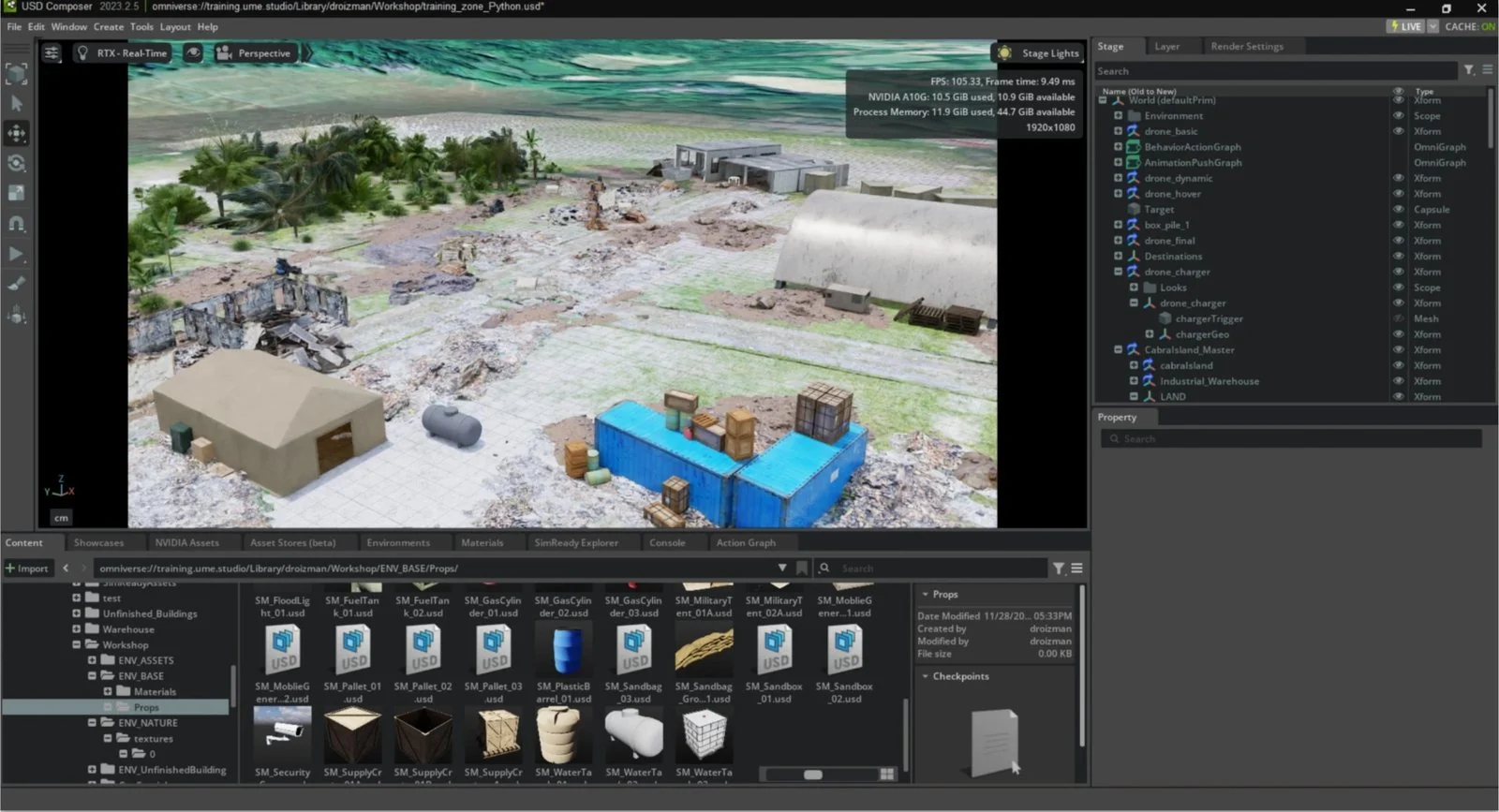

New workflows need the latest GPUs.
- Film, Animation & VFX
Generative AI in creative work
AI tools and real-time engines are now part of how the work is made, and both need accelerated compute.
- Game Design
Neural rendering and ray tracing
Game engines, AI content tools, and real-time techniques are what designers now need to learn.
- Engineering & Architecture
AI-driven design and simulation
Engineering software now builds in AI and real-time visualization, and needs the latest GPUs to run them.
- AI & Robotics
Train models, simulate robots
Training models and simulating robots needs accelerated compute from the very first exercise.
Micro-credentials, with the equipment included.
Many universities now offer micro-credentials, but providing the computing that AI coursework needs is the hard part. Everyone who enrolls gets accelerated computing in the browser, securely, for the length of the program.
Your institution provides the curriculum and instructors, and decides how long students keep access. Workstations, licensing, and data handling are ready before the program starts, and students review sessions in Replay between classes.
Students follow lectures and chat in their own language, and practice in their workstation between classes.
- Bootcamps
- Certificate programs
- Connects to your LMS

Built around your courses, for a term.
You choose the courses, how each one runs, and the GPU performance it needs. The platform is priced for a term, across the courses you choose.
-
Before the term
Choose the courses
Faculty leads and campus IT pick the courses for a first term.
Outcome
The courses you choose
-
Before the term
Set how they run
Add the schedule, software, class size, and the hours students do project work.
Outcome
Your schedule and tools
-
Before the term
Pick the GPU
Choose the GPU performance each course needs, at the capacity and price that fit it.
Outcome
The GPU each one needs
-
During the term
Run the labs
Post each lab's link in the LMS. Students work in class and come back for project work.
Outcome
Labs ready on day one
What faculty and campus IT ask
No. The workstation runs in the data center and streams to a standard browser, so a basic laptop is enough. Nothing is installed on it.
The university licenses its software as it does today. Your team prepares the workstations with the images, software, and licensing each course needs. Our team is here to support.
The same as any other course week. You define the capacity each course needs, or we work it out with you.
Yes. You decide when each lab is open. Students come back to the same workstation and files, and review recorded sessions in Replay.
For a term, across the set of courses you choose. The price follows how each course runs: its schedule, software, class size, and the GPU performance its work needs.
Students open the lab from a link on the course's LMS page. Tell us which LMS and sign-on you use, and we scope the connection with campus IT.
Scope a first term.
Bring faculty leads and campus IT together to choose the courses and scope a first term. UME.Studio has supported courses and workshops with LSU and NVIDIA.